
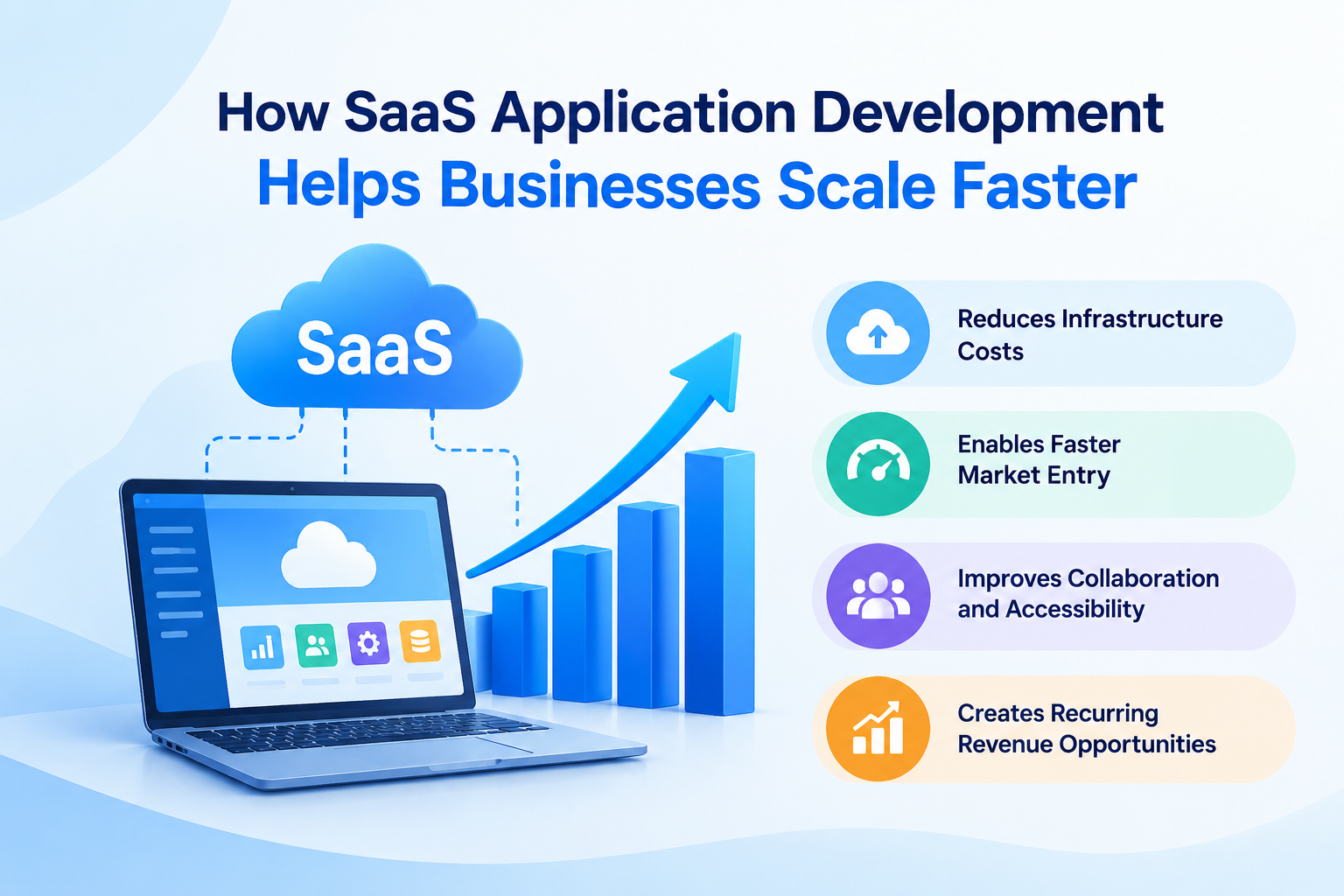
In today’s competitive digital landscape, businesses need flexible, reliable, and cost-effective technology to remain competitive and achieve sustainable growth. Traditional software solutions often require significant upfront investment, ongoing maintenance, and complex infrastructure management. These challenges can make it difficult for organizations to adapt quickly to changing customer demands. This is where SaaS Application Development becomes a valuable solution for businesses of all sizes.
Software as a Service (SaaS) enables users to access applications over the internet without installing and maintaining software on individual devices. Instead of managing everything internally, businesses can use cloud-based applications to streamline operations, improve collaboration, and deliver better customer experiences.
From startups looking to establish their market presence to established enterprises expanding into new markets, SaaS solutions provide the flexibility needed to support long-term growth. With the right development strategy, organizations can build scalable applications that accommodate increasing users, larger workloads, and evolving business requirements.
Understanding SaaS Application Development
SaaS Application Development is the process of designing, building, deploying, and maintaining software applications hosted in the cloud. These applications are typically accessed through web browsers or mobile devices, allowing users to work from different locations without depending on traditional software installations.
Unlike conventional software models, SaaS applications are generally managed by a service provider. The provider handles infrastructure, updates, security improvements, and ongoing maintenance, depending on the service agreement.
Popular SaaS solutions include customer relationship management platforms, project management tools, accounting software, marketing automation systems, and human resource management applications.
A well-developed SaaS product usually incorporates cloud infrastructure, subscription management, user authentication, data storage, application programming interfaces (APIs), and monitoring tools. Together, these components create a flexible environment that supports business expansion.
1. Supports Business Growth Without Major Infrastructure Investments
One of the biggest advantages of SaaS solutions is their ability to reduce the infrastructure burden associated with business growth.
Traditional applications may require organizations to purchase servers, maintain hardware, upgrade systems, and hire technical specialists. As the number of users increases, these requirements can become expensive and time-consuming.
SaaS applications operate through cloud infrastructure, enabling businesses to access computing resources without investing heavily in physical equipment.
Flexible Resource Allocation
Cloud-based environments allow organizations to adjust computing resources according to their requirements. When traffic increases, businesses can scale resources to maintain application performance. During quieter periods, they may reduce resource usage to control costs.
This flexibility is especially beneficial for businesses experiencing seasonal demand, launching new products, or entering unfamiliar markets.
Better Cost Management
SaaS development can reduce upfront infrastructure expenses and make technology costs more predictable. Businesses can choose suitable cloud services, monitor resource consumption, and optimize their budgets as their operations expand.
Although SaaS applications still require investment in development, hosting, security, and maintenance, a well-planned architecture can help organizations manage these expenses more efficiently.
2. Enables Faster Market Entry
Speed is essential for businesses introducing new products or services. Delays in software development can result in missed opportunities, increased costs, and reduced competitiveness.
A structured SaaS Application Development process helps organizations move from an initial concept to a functional product more efficiently.
Faster Development and Deployment
Development teams can use established frameworks, cloud services, reusable components, and automated deployment pipelines to reduce repetitive work. These resources allow developers to focus on essential features instead of building every component from scratch.
An initial minimum viable product (MVP) can help businesses test their ideas with real users before investing in a complete solution.
Continuous Product Improvement
SaaS applications can be updated centrally, allowing businesses to introduce improvements without requiring every customer to install a new version manually.
Teams can analyze user feedback, identify performance issues, and prioritize features based on customer needs. This approach supports continuous improvement and helps organizations respond to market changes more quickly.
For growing companies, the ability to launch, learn, and improve consistently can provide a meaningful competitive advantage.
3. Improves Accessibility and Team Collaboration
Modern businesses often operate across multiple offices, remote teams, and international markets. Employees need reliable access to business applications regardless of their physical location.
SaaS platforms make this possible by allowing authorized users to access information through internet-connected devices.
Enables Remote and Hybrid Work
Cloud-based applications allow team members to collaborate on projects, manage tasks, share documents, and review business information without being restricted to a single office.
For example, a project management SaaS platform can help distributed teams track deadlines, assign responsibilities, and monitor progress from a shared workspace.
Creates a More Connected Workflow
SaaS applications can integrate with communication platforms, accounting systems, customer databases, and other business tools through APIs and supported integrations.
These connections reduce manual data entry, limit information silos, and improve coordination between departments.
When employees can access accurate information through connected systems, businesses can make decisions more confidently and operate more efficiently.
4. Delivers a Scalable Customer Experience
As a business grows, its customer base may increase significantly. An application that performs well with a small number of users may struggle when thousands of customers begin accessing it simultaneously.
Scalability must therefore be considered from the earliest stages of SaaS development.
Handles Increasing User Demand
A scalable architecture is designed to accommodate growing workloads without requiring a complete redesign. Developers may use load balancing, caching, database optimization, and cloud-based scaling mechanisms to improve performance.
These techniques help applications respond reliably during periods of high activity.
Maintains Consistent Performance
Application speed and reliability directly influence customer satisfaction. Slow loading times, repeated errors, and service interruptions can discourage users from continuing with a product.
Performance monitoring and load testing help development teams identify potential bottlenecks before they affect a large customer base.
A reliable SaaS product can support customer retention, strengthen brand credibility, and create a better foundation for acquiring new users.
5. Creates Opportunities for Recurring Revenue
SaaS business models commonly use subscription-based pricing, allowing companies to generate recurring revenue rather than depending entirely on one-time software purchases.
This model can provide a more predictable revenue structure when customers continue using the service and renew their subscriptions.
Offers Flexible Pricing Plans
Businesses can introduce different subscription tiers based on usage limits, available features, storage capacity, or the number of users.
For instance, a SaaS platform might offer a basic plan for small businesses, a professional plan for growing teams, and an enterprise plan with advanced administration and integration options.
This structure enables customers to choose a suitable starting point and upgrade as their requirements change.
Supports Customer Expansion
A scalable SaaS product can accommodate customers as their organizations grow. Additional users, advanced features, and higher usage limits can create opportunities for account expansion.
However, recurring revenue depends on delivering ongoing value. Businesses must invest in product quality, customer support, usability, and regular improvements to encourage renewals and reduce customer churn.
6. Strengthens Security and Data Management
As businesses expand, they handle increasing amounts of customer information, operational records, and confidential business data. Protecting this information becomes essential for maintaining trust and meeting applicable regulatory requirements.
Security should be integrated into the SaaS Application Development lifecycle rather than treated as a final step before launch.
Implements Strong Access Controls
SaaS applications can incorporate role-based access control, multifactor authentication, secure session management, and detailed permission settings.
These measures help ensure that users can access only the information and functionality appropriate to their roles.
Protects Business Information
Encryption, secure backups, vulnerability assessments, logging, and incident response procedures can reduce the risk of data exposure and service disruption.
Businesses should also evaluate their hosting providers, establish clear data retention policies, and identify any industry-specific compliance obligations.
Security responsibilities vary depending on the application’s architecture and hosting arrangement. Organizations should define these responsibilities clearly and review them as the product evolves.
A proactive security strategy helps businesses protect their customers while supporting sustainable expansion.
7. Simplifies Maintenance and Continuous Updates
Maintaining software becomes increasingly complex when a business serves a large number of customers across different locations and devices.
SaaS applications simplify many maintenance activities because updates can be deployed centrally. This reduces the need to manage separate installations on individual customer systems.
Reduces Operational Complexity
Development teams can automate testing, deployment, monitoring, and selected maintenance tasks. Automation reduces repetitive manual work and helps teams identify issues earlier.
Centralized management also makes it easier to maintain consistent application versions and introduce improvements across the customer base.
Supports Long-Term Product Development
As customer needs evolve, SaaS providers can introduce new integrations, improve existing features, and refine application workflows.
A structured release process helps businesses deliver these improvements while minimizing disruption. Testing environments, staged rollouts, and rollback procedures are useful for managing updates safely.
By investing in maintainable software architecture, businesses can reduce technical complexity and keep their products aligned with changing market expectations.
8. Provides Valuable Business Insights Through Analytics
Growth requires informed decision-making. Businesses need to understand how customers use their products, which features deliver value, and where operational improvements are necessary.
SaaS applications can incorporate analytics and reporting capabilities to turn application data into actionable insights.
Tracks Customer Behavior
Product analytics can help teams understand user engagement, feature adoption, onboarding completion, and customer retention patterns.
For example, if users regularly abandon a particular workflow, the development team can investigate whether the process is confusing, slow, or missing essential functionality.
These insights can guide product improvements and help businesses prioritize development resources.
Improves Operational Decisions
Reporting dashboards can provide visibility into subscription performance, customer activity, service usage, and other relevant business indicators.
When these metrics are collected and interpreted responsibly, managers can identify trends, allocate resources more effectively, and evaluate the results of strategic decisions.
Businesses should establish appropriate privacy controls and collect only the data necessary for legitimate operational purposes.
9. Encourages Integration and Business Automation
Growing companies often rely on multiple applications to manage sales, finance, marketing, customer service, and internal operations. When these tools operate independently, employees may need to transfer information manually between systems.
SaaS development can address this problem by incorporating integration capabilities and automated workflows.
Connects Essential Business Systems
APIs and integration platforms enable SaaS products to exchange information with compatible third-party services.
For example, a sales platform can connect with an invoicing application to streamline billing, while a customer support system can retrieve relevant customer details from a CRM platform.
These connections reduce duplicate work and improve information consistency.
Automates Repetitive Tasks
Workflow automation can handle routine activities such as sending notifications, assigning tasks, updating records, and generating reports.
By reducing manual processes, businesses can allow employees to concentrate on activities that require judgment, creativity, and customer interaction.
Effective automation also requires clear workflow design, error handling, and monitoring to ensure that processes remain reliable as operations expand.
10. Supports Expansion Into New Markets
Businesses aiming to grow beyond their initial customer base need software that can accommodate different regions, languages, currencies, and operational requirements.
SaaS architecture can provide the flexibility needed to support these changes when international expansion is considered during development.
Accommodates Different Customer Requirements
Applications can be designed with configurable settings, localization features, flexible pricing rules, and regional payment integrations.
These capabilities help businesses adapt the product to new audiences without maintaining entirely separate applications for every market.
Improves Availability and Reliability
Cloud infrastructure can support geographically distributed deployments and content delivery strategies where appropriate. These approaches may reduce latency and improve access for customers in different regions.
However, international expansion also requires attention to data residency, privacy regulations, taxation, payment processing, and local customer expectations.
A carefully designed SaaS product can make expansion more manageable while allowing the business to adapt to regional requirements.
Best Practices for Building a Scalable SaaS Application
Businesses can gain more value from SaaS development by following a structured approach that balances immediate needs with future growth.
Define Clear Business Objectives
Start by identifying the problem the application will solve, the intended audience, and the business outcomes it should support. Clear objectives help development teams prioritize features and avoid unnecessary complexity.
Choose the Right Technology Stack
Select programming languages, frameworks, databases, and cloud services based on the application’s requirements, expected workload, security needs, and available technical expertise.
The most popular technology is not always the best choice. The right stack should support maintainability, performance, and future development.
Prioritize User Experience
An application should be intuitive, responsive, and accessible. Simple navigation, clear onboarding, and efficient workflows can help users understand the product and gain value from it sooner.
Plan for Security and Reliability
Build authentication, authorization, data protection, monitoring, backups, and recovery procedures into the development plan. Test critical functions under realistic conditions before launching new features.
Monitor Performance and Customer Feedback
Use analytics, support requests, performance metrics, and customer interviews to identify areas for improvement. Regular evaluation helps businesses adapt their products as usage patterns and expectations change.
Partner With Experienced Development Professionals
SaaS projects require expertise in software architecture, cloud infrastructure, application security, integrations, and ongoing maintenance. Working with an experienced development team can help organizations make informed technical decisions and reduce avoidable implementation risks.
Conclusion
SaaS Application Development offers businesses a practical way to build flexible digital products, improve operational efficiency, and prepare for long-term growth. By reducing infrastructure burdens, accelerating product delivery, supporting recurring revenue, and enabling continuous improvements, SaaS solutions can help organizations respond to changing market demands.
However, successful scaling requires more than simply hosting an application in the cloud. Businesses must prioritize thoughtful architecture, security, performance, user experience, and customer feedback throughout the development lifecycle.
Organizations that invest in these fundamentals can build software that grows alongside their customers and business objectives. Whether launching a new product or modernizing existing operations, a well-planned SaaS strategy can create opportunities for greater efficiency, stronger customer relationships, and sustainable competitive advantage.
App Scoop recognizes the importance of scalable digital solutions in today’s business environment. By understanding the principles behind effective SaaS development, businesses can make better technology decisions and build a stronger foundation for future success.